


OFORK – Open-Source Ticketing System for IT Support, Help Desk, and Service Processes
OFORK is an open-source ticketing system for companies, public agencies, and organizations that want to systematically capture, prioritize, process, and transparently document support requests. The solution is suitable for IT support, help desk, customer service, and internal service processes.
With on-premises operation, flexible extensibility, and clear functions for tickets, queues,
roles, templates, knowledge base, and automation, organizations retain control
over their support processes and their data.
Full MS365 Integration in OFORK - Kim-KI
New: Agentic AI in OFORK
The ticketing system reimagined:
OFORK brings Agentic AI into real service processes
OFORK extends the traditional ticketing system with a new form of process control.
With the new Process Autopilot, OFORK creates workflows through Kim AI,
or imports existing BPMN files via upload.
This process template can then be adjusted, expanded, and enhanced with actions for each work step.
Not AI versus people — AI supports people.
Note: Kim AI functions are not included in OFORK Version 12. An additional module is required.
OFORK Process Autopilot
Agentic AI for processes that are not just modeled, but actually executed
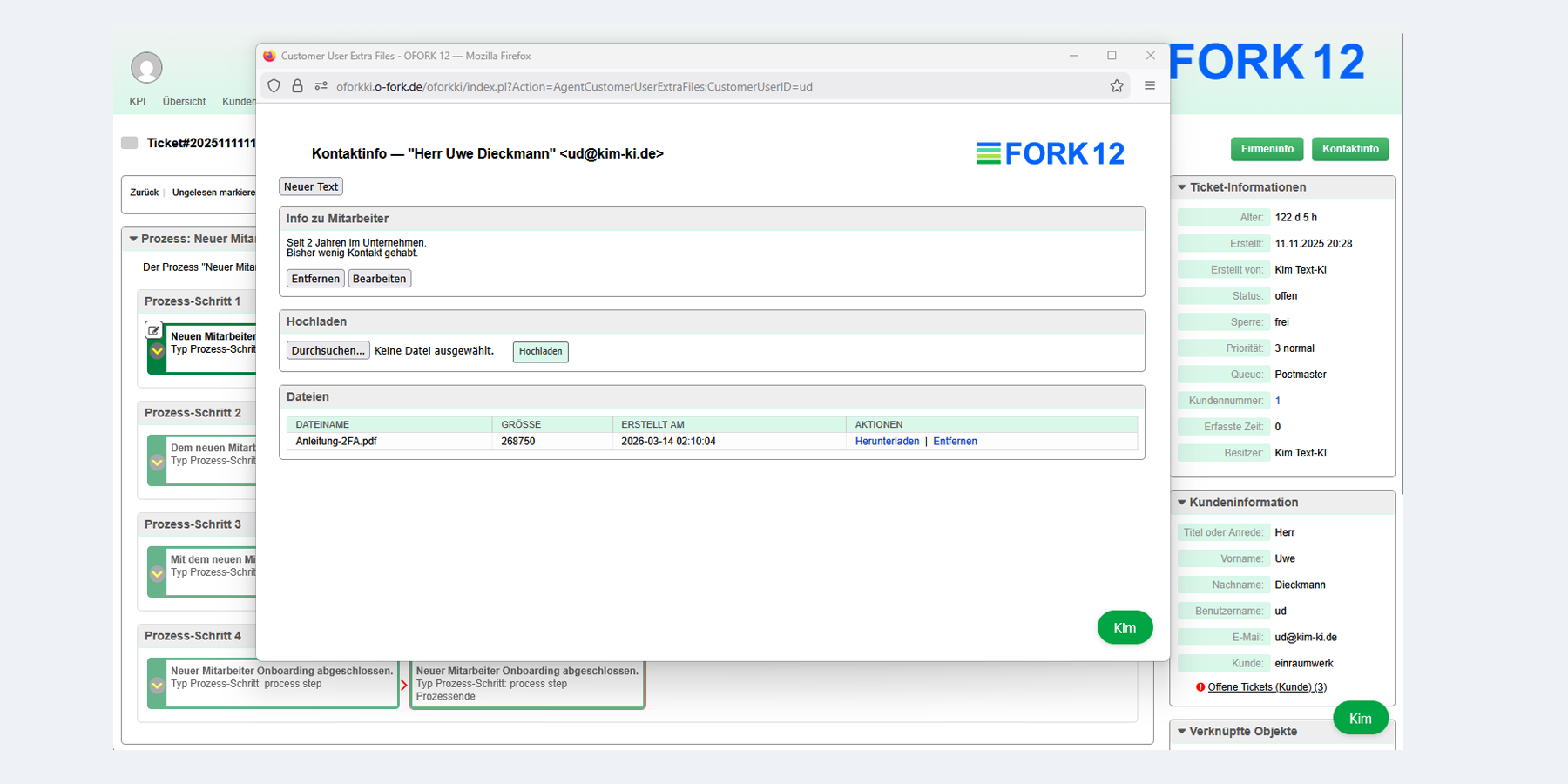
With the OFORK Process Autopilot, you can create processes from a written description, import existing BPMN files in seconds, and control execution directly from within the ticket. Tasks are automatically delegated by email to the right people, feedback is processed, and the next step is activated.
- Create processes with AI or import them from BPMN files
- Display and edit them graphically in the admin area
- Control steps with work instructions, groups, SLA, and actions
- Execute processes by email — without constant logins to the ticket system
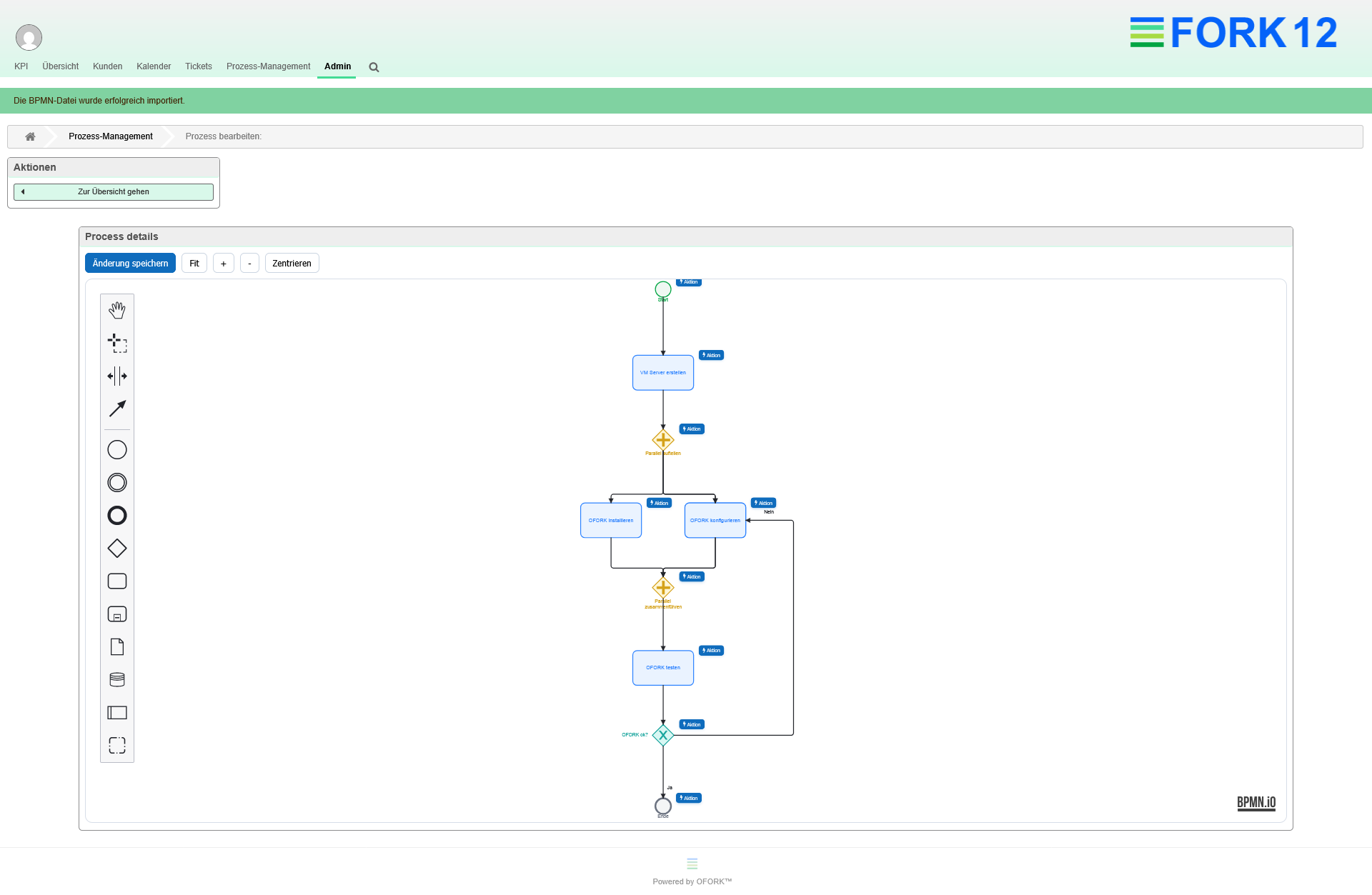
Create with AI
Describe a process in natural language and automatically generate an editable workflow from it.
Import BPMN Directly
Upload existing BPMN files and bring existing process work into OFORK without disruption.
Execute by Email
Tasks are delegated to agents or groups and completed directly from the running process.
Why OFORK?
Many organizations are looking for a ticketing system that is transparent, flexible, and controllable over the long term. OFORK combines classic help desk functions with modern extensibility, clear processes, and a strong foundation for individual requirements.
Full Data Control
OFORK can be operated on your own servers. This is especially important for companies, public institutions, and organizations with high requirements for data protection, compliance, and internal policies.
Clear Support Processes
Tickets, priorities, queues, responsibilities, escalations, and templates provide traceable workflows in IT support, customer service, and internal service teams.
Flexible and Adaptable
OFORK is extensible, modular, and suitable for different support scenarios — from the classic help desk to complex service processes with individual requirements.
OFORK as a ticketing system for professional support teams
OFORK supports all central help desk tasks: from incoming requests to classification and processing, through documentation and reporting. This creates structure, saves time, and improves support quality.
Features at a Glance
- Ticket management with status, priorities, and queues
- Customer and customer user management
- FAQ and knowledge base
- Automations, rules, and templates
- Roles and permissions management
- On-premise deployment and custom extensions
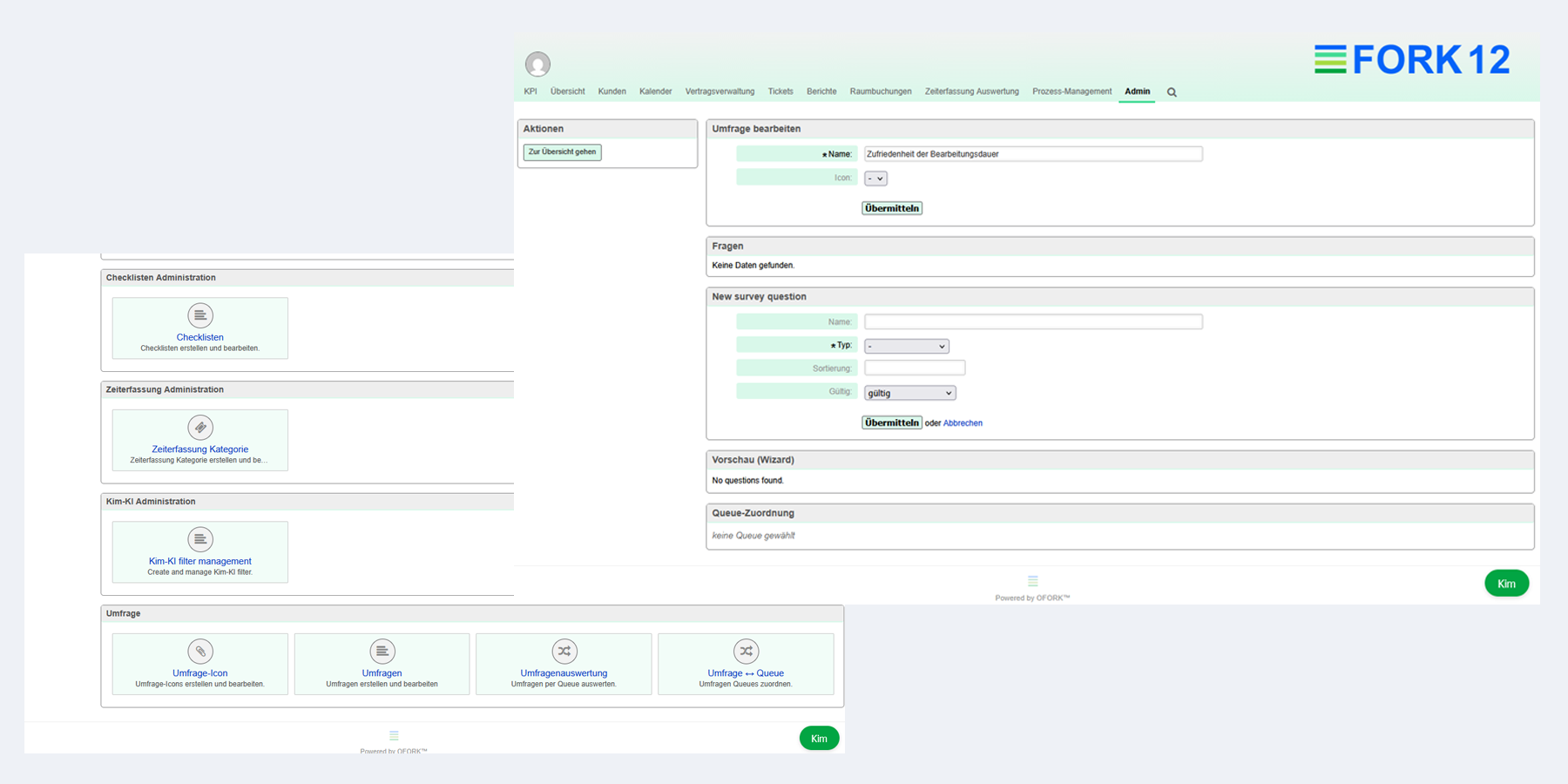
- Survey module, extra information, and add-ons
Suitable For
- IT departments and internal support teams
- Customer service and customer support
- Managed service providers
- Public institutions and government organizations
- Companies with compliance and data protection requirements
- Organizations looking for an alternative to cloud-bound solutions
OFORK for key ticket system requirements
OFORK is suitable for companies, public institutions, and organizations looking for a flexible ticketing system for IT support, help desk, on-premise deployment, SLA processes, and structured service workflows. The following topic pages show where OFORK is especially relevant.
Open-Source Ticket System
OFORK is an open-source ticketing system for organizations that need transparency, adaptability, and long-term control over their support solution.
On-Premise Ticket System
OFORK can be operated on your own servers and is suitable for organizations with strict requirements for data protection, compliance, and internal IT policies.
Alternative to OTRS
OFORK is an independent alternative for organizations that want to modernize or further develop existing OTRS-related support processes.
OTRS 6 Successor
For organizations with older OTRS 6 environments, OFORK provides a modern foundation for structured ticket handling, extensibility, and long-term development.
Helpdesk Software
OFORK helps help desk teams capture, prioritize, process, and track support requests in clear workflows.
SLA Management
With priorities, escalations, responsibilities, and traceable ticket processing, OFORK supports structured service-level processes in support teams.
Kim, the AI for the OFORK ticketing system
Kim is a specially developed artificial intelligence for OFORK
- Search tickets by subject, content, and attachments
- Find FAQ entries quickly and reliably
- Transfer chat responses automatically into forms
- Analyze incoming emails automatically
- Set queue, priority, and status based on email content
- and much more...
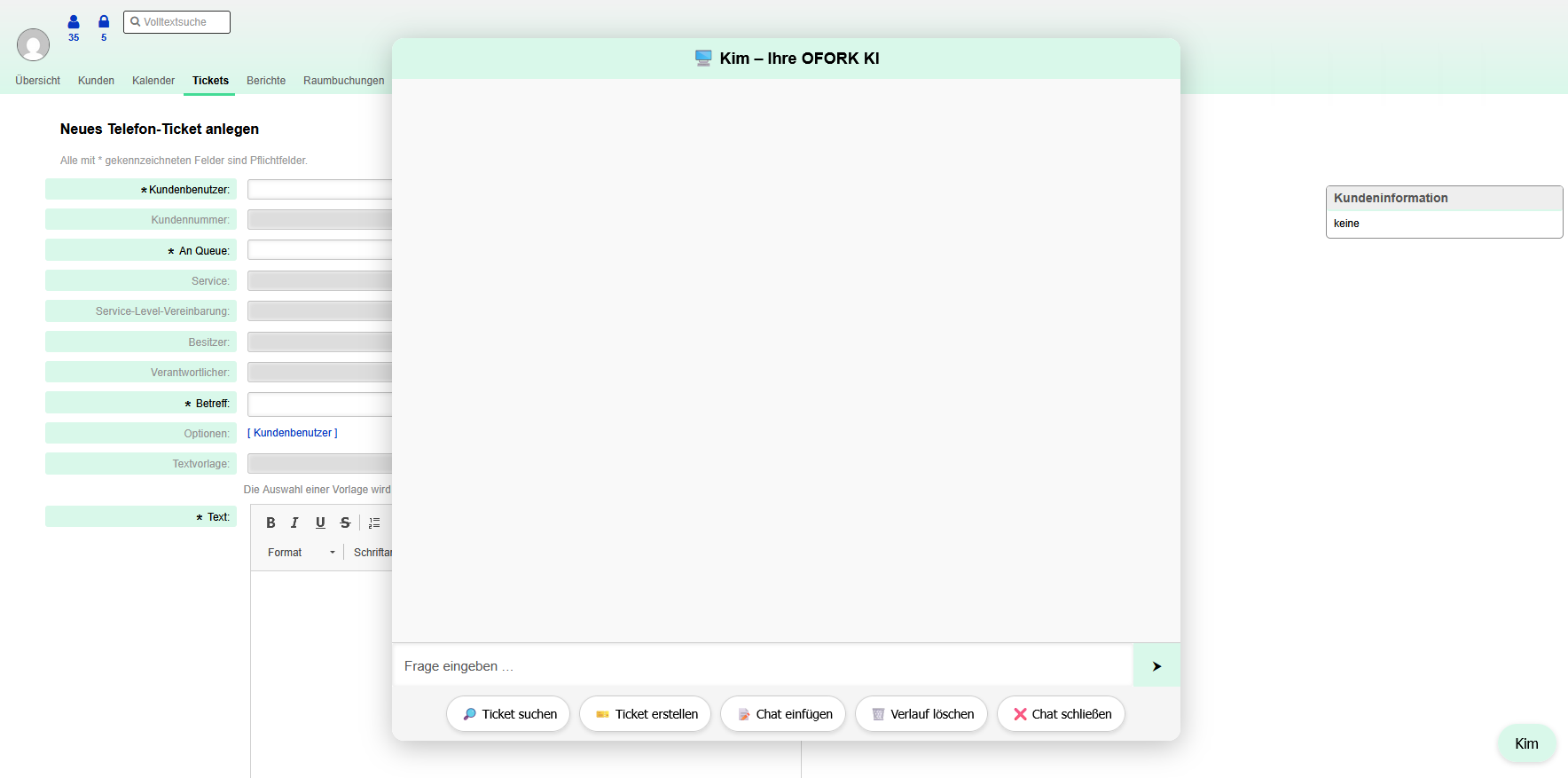
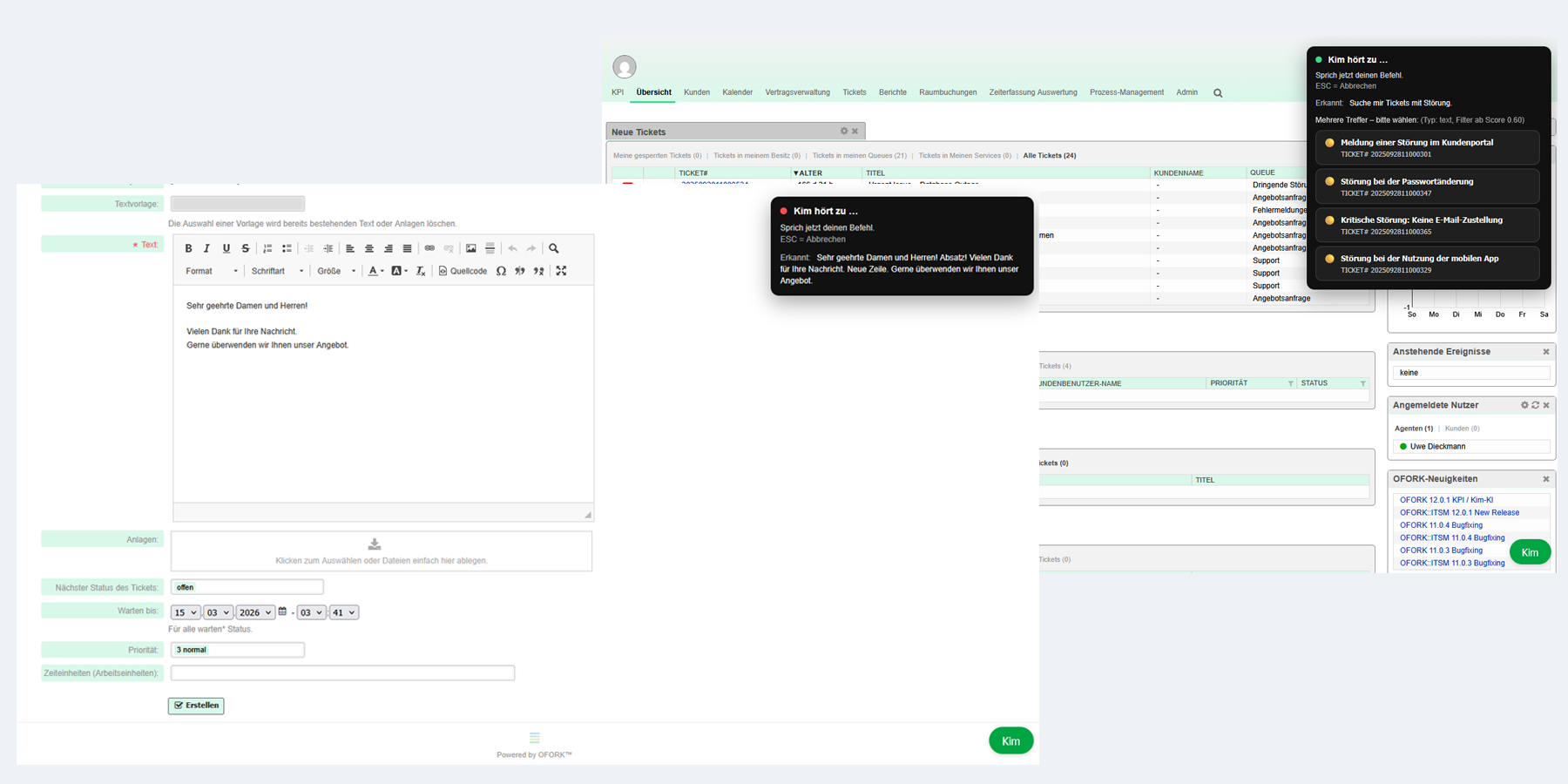
"Hey Kim!" for OFORK 12
Voice control with “Hey Kim”
Voice control makes daily work easier directly inside the system. Users can enter search queries, content for replies, or text for new tickets by voice and work faster as a result.
Especially in support situations where research, documentation, and communication happen in parallel, this can significantly simplify ticket handling.
Request a live demo of the OFORK Process Autopilot
In around 15–30 minutes, see how OFORK creates processes with AI, imports BPMN files, and automatically continues tasks by email.
What you will see in the demo
- Automatically create processes from descriptions
- Import existing BPMN files directly
- Control steps with actions, groups, and SLA
- Delegate and continue tasks by email
- See REST integration and dynamic fields in action
See it live instead of just reading about it
The Process Autopilot shows its full strength especially in a live demonstration. We show how processes are created with AI, BPMN files are imported, and tasks continue by email all the way to completion.
Request a Demo View Project Page Watch YouTube VideoNew features in OFORK 12
OFORK is continuously evolving. New modules and improvements help teams map their processes in a more structured, faster, and more practical way.
Why companies and public institutions choose OFORK
OFORK is a flexible ticketing system for organizations that want to structure support processes clearly, manage data in a controlled way, and adapt their solution to their own requirements over the long term. The platform is suitable for professional environments with high demands on transparency, extensibility, and operation within their own infrastructure.
Full control over operations and data
OFORK can be run on-premise and gives organizations the ability to manage infrastructure, access, and data storage themselves.
Built for real service workflows
Queues, roles, templates, automations, and clear responsibilities help teams model support processes in a clean, traceable, and efficient way.
Flexibly extensible
OFORK can be expanded through add-ons and individual customizations, so the system continues to fit even as requirements grow.
More than 300 customers with service and support contracts
OFORK is used across different industries and organizations. The solution is suitable for public institutions, companies, service providers, and support teams with a wide variety of requirements.






























Frequently asked questions about OFORK
Answers to common questions about the open-source ticketing system, operation, use cases, and extension options.
What is OFORK?
OFORK is an open-source ticketing system for IT support, help desk, and customer support. It helps teams capture, prioritize, process, and track requests in a structured way.
Who is OFORK suitable for?
OFORK is suitable for companies, public institutions, MSPs, and organizations that need professional support processes with control over infrastructure and data.
Can OFORK run on your own servers?
Yes. OFORK can be operated fully on-premise. This keeps data and processes in your own environment.
What is the OFORK Process Autopilot?
The OFORK Process Autopilot is a new feature based on Agentic AI. Processes can be created from descriptions or imported via BPMN files, edited in the admin area, and executed directly within a ticket.
Are there extensions and add-ons?
Yes. OFORK can be extended through add-ons and individual customizations, so the solution fits existing processes and requirements better.
What role does Kim AI play?
Kim AI extends OFORK with AI capabilities for search, analysis, and support in daily work with tickets and content.
Get to know OFORK now
Whether you are looking for download, hosting, support, Kim AI, or the Process Autopilot: the links below take you directly to the most important areas.